Blog

  • RecallFind

    RecallFind

    A few years ago, when my youngest son was still an infant, I happened to turn on the news and saw a recall about a popular baby formula. Thankfully, it wasn’t one we were using and I don’t think the effects were severe, but I realized I would’ve had no idea about it if I didn’t happen to turn on the news at that moment.

    So, I started looking into making a site to make it easier to find recalled products. As it turns out, there are free APIs provided by different government agencies. But being the government, they are all a little different by agency such as the FDA and the NHTSA. However, the one I was specifically looking for was the CPSC (Consumer Product Safety Commission) and they had the best site and API. Unfortunately, I’ve learned that what products that make it on the list is somewhat political. We also have a BOB stroller and this manufacturer made the news because they were going to be on the list but we’re allegedly able to pay their way out of it. But nevertheless, it’s a good service that more people should use.

    As I looked around, I found some sites that used the API, but most looked like they were class projects that met some minimal requirements. So I went about creating a site and again chose to make it using Vue JS, that I recently learned in my, ‘it’s not a portal’ project.

    I ended up using Vuetify as the UI framework and it really helped speed up the time to build the site, even thought it was something new to me and I had look up how to do everything.

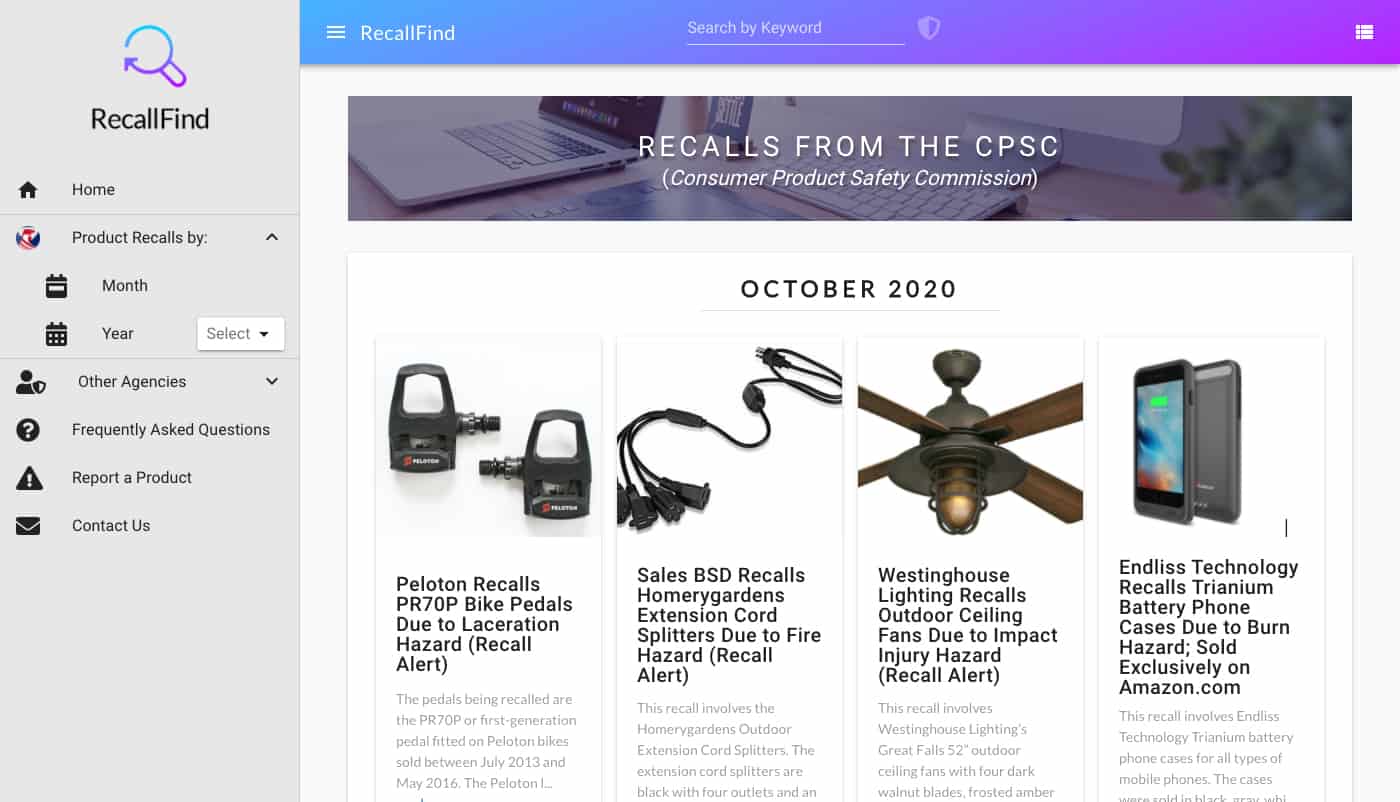
    I made it so the site pulls down the API data as an AJAX post and formats it nicely into cards.  One problem I encountered is that the images can be pretty much any size or dimension and the text can be a few words or a few pages.  So, I used flexbox to keep all of the cards the same height and maintain consistent spacing and truncated the text after a certain limit.

    Once the individual cards were designed, I then made it so you can change the display from a grid of cards to a list of narrower items.  And after that, I used an animation library so the cards gradually display as you scroll.

    When you select a product, it loads a full screen modal with some slight animations.  This view has an image carousel and it displays all of the important details about the recall.  It may not look like much, but it took a lot of thought to display all of the data in meaningful way.  There’s so many different fields that may or may not be populated, so I tried to pick out the most important ones and grouped them into 3 sections that I feel makes it it easy to read, even though there can be a lot of text.


    As a side note, I really like this mirror but it was recalled. But I may be making something like this in a future project.

    One that was done, I added a search feature.

    And lastly, I added some filtering options and other links to the sidebar.

    One thing you’ll notice is that the FDA cards look a lot different.  This goes back to how each of the agencies use slightly different ways to publish the recall data.  If I was trying to productize this site, I feel like it would have to gather all of the data across agencies but display them in a consistent format.  I don’t think the technical part is actually that hard, but it would require someone to look through and make some manual edits to all of the items for consistency.

    So, I built this site and I was happy with how it turned out, but I never tried to make it into a ‘real’ site for various reasons.  But I did add it as subdomain so anyone can use the site here:

    http://recallfind.evanyamoto.com/

    And, I learned more about Vue JS. It may not specifically help me with my normal work, mostly in C# MVC, but it did help me learn some different ways to do things in JavaScript and it helped to improve my development and design skills overall. I would like to keep working with Vue, but most likely, this will be the last project I do with Vue and will pick another technology to learn for the next one.
  • Homepage in 2020

    Homepage in 2020

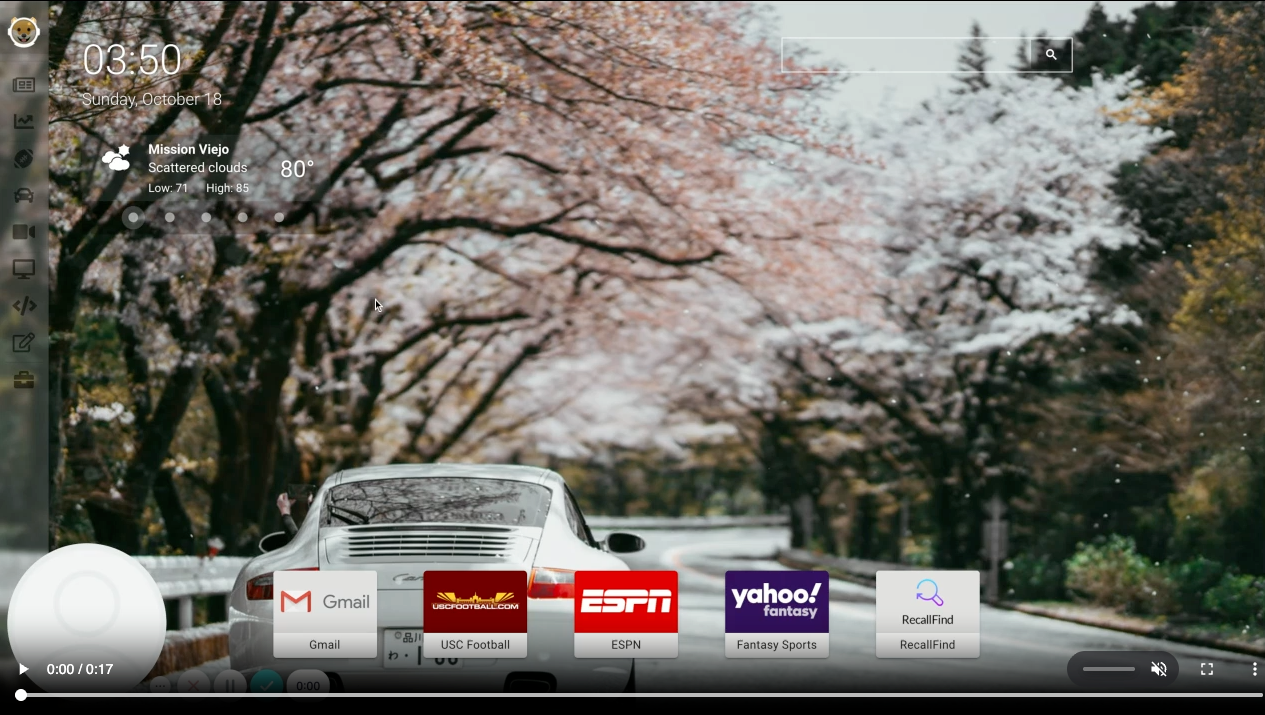
    So, it’s 2020 and I still like to use a homepage. I don’t like to call it a portal either, but I think that term is actually newer.

    Since 1996, I used Yahoo!, Excite, back to Yahoo, Google’s homepage that was quickly de-commissioned, back to Yahoo and then just Chrome. But Chrome with some recent tab images was just lacking to me.

    So, I started making my own. Initially, I was going to have a simple page and work on styling to make it look like a futuristic UI that you see in movies. I looked into this for a bit, but then I remembered I do something similar for work where I build client sites to integrate with our system. It might’ve been fun, but I wouldn’t have learned anything new. So I stuck with an unstyled page for a little bit and used Yahoo’s APIs and query language, YQL. Of course, this was discontinued shortly after I got started.

    So I scrapped that project and built my site using Vue JS. It was the first time working with Vue and I really enjoyed it, despite the frustrations of working with something new. I picked it partly because React seemed like overkill for what I was doing and Vue seemed simpler and there was something I liked about it from the ‘hello world’ tutorials I read.

    Once I picked the framework, things came along pretty quickly. I made some services that would parse and display news feeds, weather and some articles from different APIs. And I made another service for XML/RSS feeds.

    I never figured out what to call it, so it’s just called a sub-domain called launcher.

    I have it pinned to Chrome so I start on a tab that:

    1. Uses the Unsplash API to rotate through some images I’ve saved.
    2. Uses a weather API to load weather for locations I’ve saved.
    3. Has links to sites I usually open in the morning.
    4. A Google search bar built into the page, that I’ve never ever used.

    Then, I have other tabs on the page that load content for things I’m interested in like finance, cars, sports, technology and more. Most are newsfeeds, but I made a stock tracker like my old Yahoo page and keep a maintenance log for my vehicles.

    It was all working great until the news API I use (NewsAPI) switched to a paid model, even for a site with hardly any use. So, I’ll have to convert my newsfeeds again, but for now I have a usable portal, I mean home page.

  • Aquarium of the Pacific – Theater

    After the success of the Glass Guild, we were immediately asked to create another page for the aquarium’s new theater. The theater was under construction as well and we found ourselves in a similar situation – a short time frame, limited resources and system complexity.

    However, the Glass Guild was much more abstract where as the theater is something that we’re all familiar with. The were asking patrons to sponsor seats and they would get a plaque with an inscription on the back of it.

    One of the issues with the imagery was that those only had a few 3D rendering of the theater and no model to take pictures of this time. However, they were farther along in construction. So as soon as the seats were installed, I was able to create an image of the theater seating that combined the 3D model and an actual photograph.

    I then made it work similar to the Glass Guild with each section a link that loads a seat map. The seat map was challenging to create because they labeled the rows and seats differently where the even numbered seats are on one side and the odd numbers are on the other side. And there’s some reserved seats, empty spaces, no row I, etc. which apparently are common things in theaters.

    But, I was able to figure something out and the project was also a success. And it looks pretty nice aside from all of the text. I suggested that the background image should be shrunk down and at least half of the text should be removed, but they wanted to keep it this way.

    Anyhow, if you’re in the area (again), you should make a trip to the aquarium. And if you’re feeling charitable, the Pacific Visions seating donation is still open.

    https://www.aquariumofpacific.org/pacificvisions/support/seat_campaign

  • Aquarium of the Pacific – Glass Guild

    One of the special projects that I worked on in early 2018 was a custom donation page for the Aquarium of the Pacific in Long Beach, CA. They were constructing a new building made from unique pieces of glass and had the idea to ask patrons to sponsor each panel.

    It was very exciting and it I felt good about trying to help out a good cause. However, I was given less than a month to put something together.

    The challenges were that we didn’t have many resource from the client and I also had to build this on top on our donation system as well as a seating system that accounts for locations an availability.

    When I first got wind of this assignment, my initial thought was to use what I thought were 3D renderings of the building (since it didn’t exist yet) and map each of the panels to a ‘seat’ in our system. Unfortunately, we weren’t able to get more renderings in time and being that I was working on everything myself from graphics (Photoshop), SVG vector mapping (Illustrator) and all of the coding, we didn’t have time to do this.

    So we were left with some 3D renderings, which actually turned out to be photographs of a model, and some architectural plans. I tried to present the nicer 3D images first and narrow the selection by section. And then we used the architectural drawings to try to visually map the panel to the buttons. It may not be as intuitive as selecting a panel on the 3D images, but again, we didn’t have all of these at the time and I wouldn’t have been able to draw and map 900 unique shapes to our ‘seats’.

    But overall, it came out pretty good considering the time constraints, limited resources and complexity of our systems. And most importantly, it was a success for the aquarium.

    I still haven’t made it up there to see the new building in person, but I hear it’s beautiful.

    So, if you’re in the area, it’s another thing to visit!

    https://www.aquariumofpacific.org/pacificvisions/support/glassguild

  • Building a Custom Select List

    I am a web developer for a small software company that provides ticketing for attractions, theme parks, zoos & aquariums, etc. For the past 5 years, I’ve made and contributed to some really great projects, but a lot of them are in our internal systems and I can’t write about these.

    However, some of the things I do are public facing on our client’s sites. And the one I want to write about today is a custom select list (or is it dropdown list) that I made and is used by Hershey’s Chocolate World.

    I was tasked to create a new dropdown list (or is it select list) that can show a variety of things based on a myriad of configurations. Previously, the system had a traditional dropdown list that stretched across the screen and many of the options were delimited by special characters, which wasn’t ideal.

    The problem with select lists is that there’s not much you can customize and they seem to be the control that’s the most dependent on the user’s browser and even operating system.

    I started by looking for libraries to do this, but I didn’t find one that would work for us. So I started designing the dropdown and didn’t think it would too hard to make a custom component to replace a browser built-in. If you’re ever thinking about doing this, don’t.

    Actually, I think the end result turned out pretty good, but there was so much work that went into making this control. I don’t remember all of the challenges we faced, but here are some of them off the top of my head:

    Is the list open, closed or pre-selected by default? When it’s open, how big is the list (when does it start scrolling)? What happens when the list is at the bottom of the page (will it get cut off)? When you have multiple instances on the page, does it keep one open at a time or can you open all of them (has to handle both cases). How does it handle indexing (does one appear on top of the other or other elements)? How will it be responsive and how will it work on the iPhone where it normally uses it’s custom scrolling wheel? And on and on.

    Not to mention that it handles a complicated scheduling algorithm that tries to fit each of the options into a schedule and displays these on a visual timeline.

    Here’s a screencast of it in use today. The video is a little choppy, but the actual experience is very smooth.

    It was a lot more effort than any of realized, but it’s been used pretty extensively for the past few years without any know issues. And in fact, our company won an award for handling this complicated scheduling system at the largest convention for attractions (IAAPA).

    Also, Hershey’s has told us that their lines are so much shorter (pre-COVID) and have processed many more sales compared to their previous system. So, it’s nice to be able to show something I worked on that’s being used by the public and has been received so well.

    And if you’re ever thinking about making a trip to Hershey, PA, I hear it’s a great place to visit!

    https://tickets.hersheys.com/

    https://www.hersheys.com/chocolateworld/en_us/home.html

  • Redesign & Branding

    Now that I plan to start working on my site again, I think it’s time to work on my personal branding. 

    I’ve always been a technology generalist when it come to my work. I had some life events happen and it caused me to reflect on things, including my work. I was considering making a career change from a developer to an UX (user experience) designer.  It’s something I’ve always been interested in, but I’ve come to realize that I am best categorized as an UI (user interface) developer.

    I’ve always been passionate about user interfaces and the design of things for as long as I can remember.  I did think I should be a UI developer jobs after my life at Oracle, but there wasn’t much emphasis on UI and the jobs were hard to come by in 1999.  I’ve been working as a software developer ever since then and while I was not officially a UI developer, it’s something I’ve always done unofficially.  It’s what’s allowed me to become one of the most highly regarded members of a team, even when I’m not the best programmer.  Understanding and building good  UIs is what makes something that ‘works’ into something that people enjoy using are more efficient when they use it.

    I enjoy working on the design side, but I’ve also become much more proficient at C# .Net MVC over the past few years.  I’ve become the UI developer at my work and it’s also improved my JavaScript skills as well.  So as much as I enjoy design and UX design, I realized that I’m best suited to focus on my UI skills but remain and grow as a developer. So, a maybe I’m back to being a generalist.. but with an emphasis on UI.

    Now that I have my title (mostly) figured out, I though about updating this site.  I made this site back in 2016 and used a template, that I made a lot of modifications to.  I didn’t want it to be a static site, so I used a WordPress API that was in beta at the time.  I’m sure lots has changed with the technology and I would make this site differently today.  However, I’m not sure if it’s a good use of my limited time right now.

    I think the design has held up pretty well over the years.  And for now, my plan is to back fill this blog with some personal things but also to show some work I’ve done, which is probably time better spent.

    Lastly, I realized that I already have a logo for personal branding.  I’m of Japanese ancestry and I think every family has a crest, called a ‘mon’.  Mine is two hawk feathers surrounded by a circle and is on this site in various places.  They aren’t unique to every surname, but nevertheless, it’s something that helps identify me by name and tradition and I will be using it more platforms.

  • Rebooting – Part 3

    Well, it’s been almost 2 years since my last post so it’s time to reboot and rebrand while re-evaluating life. 

    2020 happened and it’s not even over yet.  Life has changed so much, but I can only think of how fortunate we have been so far.  My family has pretty much been stuck inside since February, but other than that, it’s not too bad.  We have or health, our jobs and things are as good as they can be, but that can all change in an instant.

    I keep telling my kids that:

    1. This isn’t forever
    2. We’re lucky all we have to do is stay at home

    I haven’t had to go through anything like this, but my parents were both in the Japanese American internment camps and had to live through tough times afterwards.  And my grand parents, who were also born in America, lived through the great depression.  So I remind them that even though we all might get a little bored or feel restless at times, we sit at home, watch videos and play games.  My wife and I have both been working more than ever, but it keeps us busy.  Hopefully, things will get better soon and until then, we will keep a positive attitude and keep perspective on life.

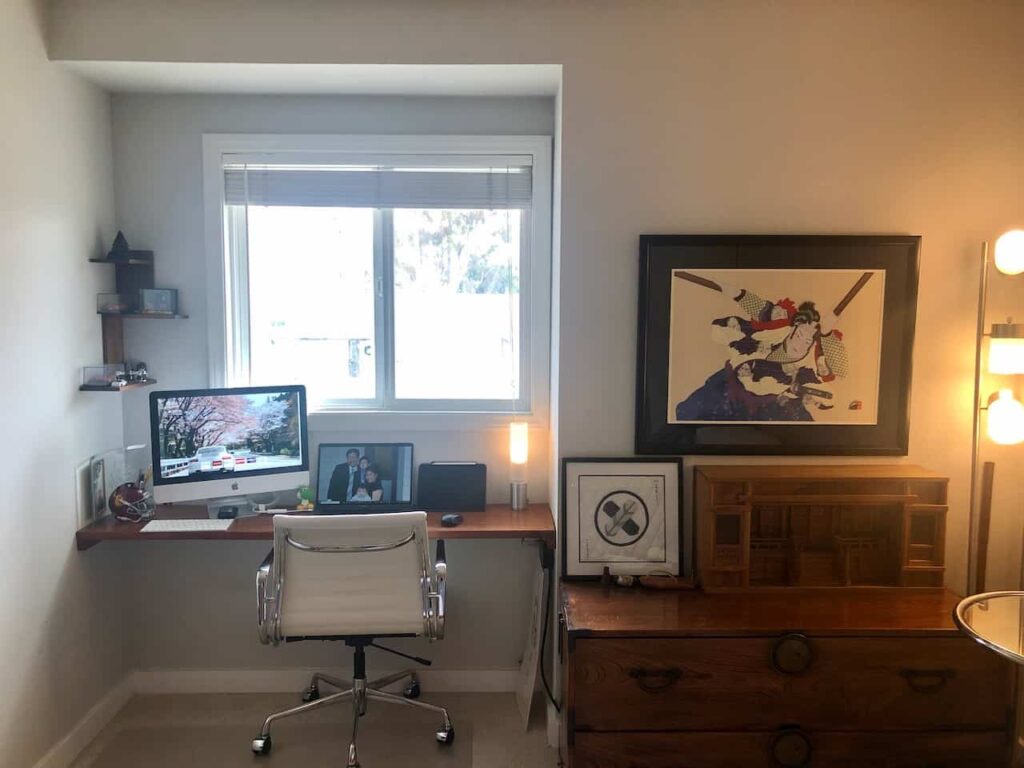
    And as for every day life, I’ve been building out my office/guest room for the past few years even though I hardly ever sat in this room.  I can’t say I planned any of this, but it’s worked out great so far.  I posted a picture back in February of my workspace ‘for the next few weeks’.  In retrospect, that was incredibly wishful thinking.

    Another thing I’ve learned to do is to cut my own hair.  I tried to do it a little bit in college and I’ve cut my boys hair every now and then.  But I’ve been getting better at it and I might keep at it when the pandemic is over.

    There’s only a few more months left this year, but there seems to be something new for this apocalypse meme every week.

    Hopefully things start to change for the better soon.

  • Oahu 2019

    I know I always say this, but sometimes I think we should go somewhere else on vacation, but Hawaii never disappoints. My wife took a new job last year and my kids had a break before school started, so we made a last minute trip to Hawaii.

    This time, we went to Oahu and stayed at the Hilton Hawaiian Village and had such an amazing view for the week. We really didn’t do much other than go to the beach and eat at all of our favorite local places, but nobody had any complaints.

    And on our last night there, they do a fireworks show that was right outside our balcony. I’ve never been that close to fireworks before and it was a much different experience with them close by and also almost eye level. It really capped off another wonderful trip to the island perfectly.

    We thought this might become a yearly event for us, but unfortunately, COVID and 2020 happened. But we’re staying safe and hopefully we can make another trip to Hawaii next year.

  • Shelves and More Shelves

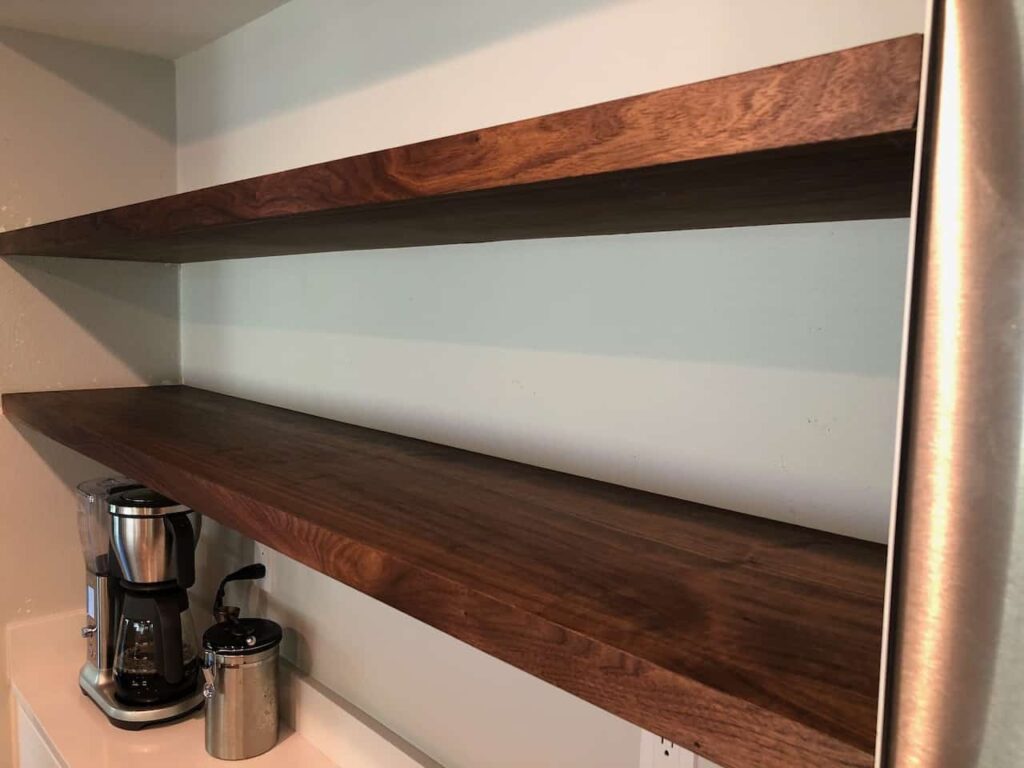
    Last summer, we were finally able to remodel our kitchen. Truthfully, I had very little to do with it. My wife designed it all and we have a great contractor that’s upgraded most of our house.

    But my job was to make some shelves. We want to have a couple of 6′ long floating shelves that could support a lot of weight. I looked into various ways on how to make them and ended up making a frame with a solid walnut front piece. Then I veneered some panels for the top and bottom. I wanted it to appear thicker (1 1/2″) but not too chunky either.

    I also made a cabinet on the other side of the fridge that’s also made of walnut and holds a microwave along with some other things. This turned out to be a nightmare for me, but it looks fine as long as you don’t look at it closely.

    I was trying to make it fit perfectly and that was my biggest problem. Walls are never straight and things are never perfectly level. I should’ve made it with normal dimensions and angles and used shims to straighten things out when mounting it. But I thought I’d try to match all the different angles perfectly.

    It would’ve worked out ok if I could’ve dry fit all of the pieces easily. But I had to assemble some of the parts to conceal the screw holes, and it just got too heavy to keep doing this. So I put together the pieces, hoping I had everything right. And of course, I didn’t.

    I made the sides angled to match a crooked wall, so that it would appear straight. The problem was that I assembled them on the wrong sides and I think upside down. So the end result is the angles went the wrong way. I couldn’t really take it apart because I veneered over the screws, so I had to use a ton of big shims to straighten it out. Nobody even looks behind counters, but if you do, there is a huge gap and a wood block to straighten it out. So, it wasn’t my best work and there’s no picture for this one, even if the main problem isn’t visible.

  • More Shelves

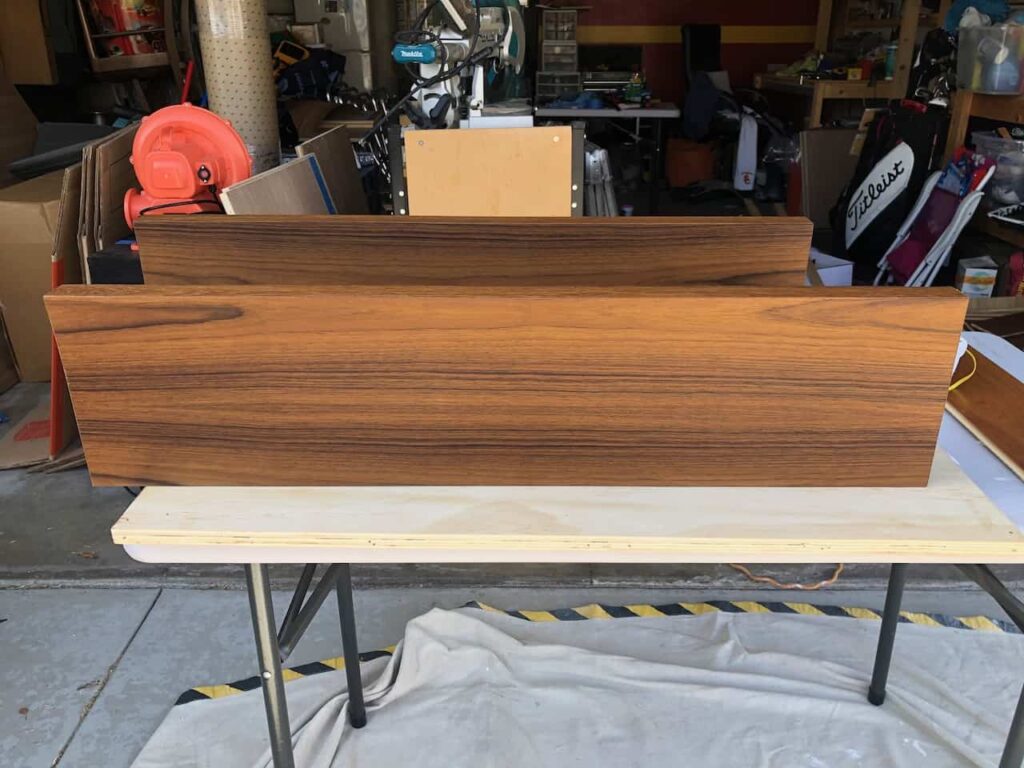
    I was working on these floating shelves for our 1/2 bath while I was working on the kitchen shelves. We had some store bought, white, floating shelves that we were using in the kitchen before we remodeled that happened to fit in the bathroom.

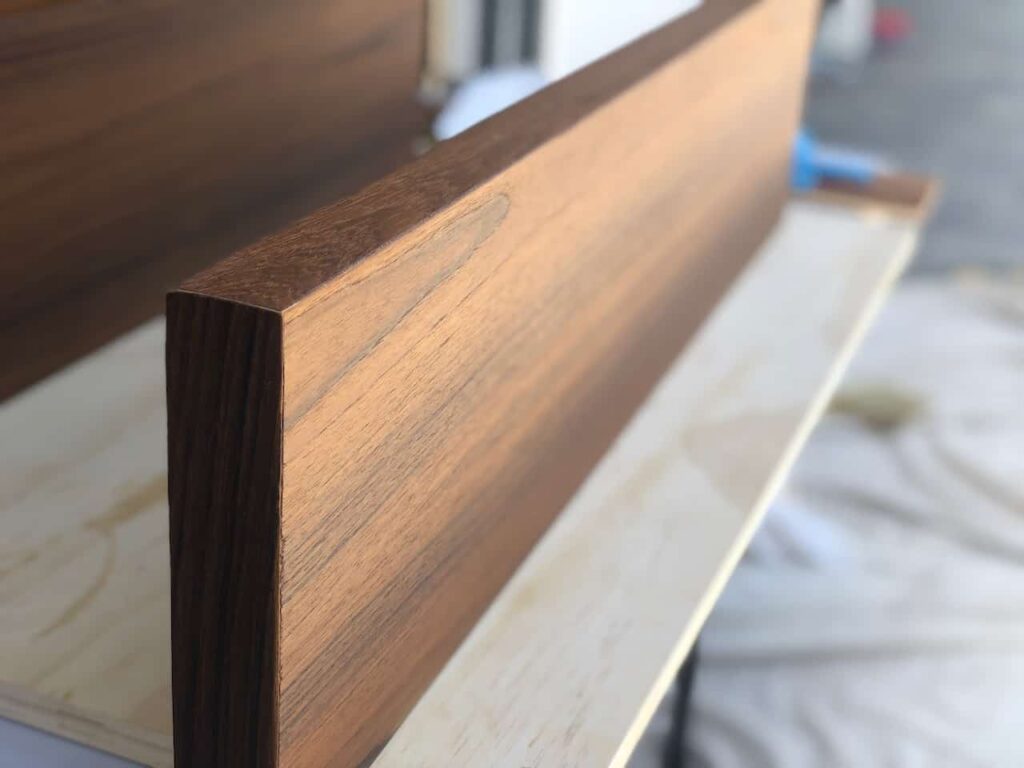
    We didn’t want to go with white for these ones, so I bought some teak veneer for the tops and bottoms and used a solid teak board for the face like I did for the kitchen shelves.

    But in this case, the teak veneer was so good that you can’t even tell that the face is any different. I guess that’s a good thing, but I didn’t have to use the more expensive teak board.

    Of course, these walls are really crooked and there were some huge gaps on both sides even though the back corners were a perfect fit. So to fix it, I glued some shims on the edges so that it fills up the space and left the veneer a little longer to cut it in place when it was installed.

    So, now it’s a place for my wife to display some knickknacks and toilet paper, which I removed for this picture.